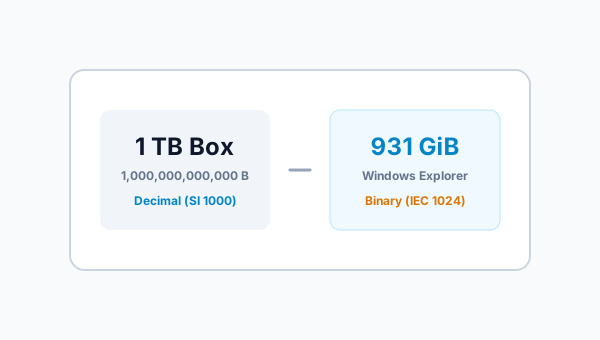
The Mystery of the Missing Gigabytes
You unbox a brand-new 1 Terabyte (1 TB) external hard drive or high-speed NVMe solid-state drive (SSD). You plug it into your Windows PC, open File Explorer, and view the drive properties. Instead of the promised 1,000 GB, Windows reports the drive capacity as 931 GB.
Where did the missing 69 gigabytes go? Was the drive used before? Did formatting consume all that room? Or did the manufacturer deceive you?
The short answer is: none of the above. Your drive possesses every single byte promised on the retail packaging. The discrepancy is the result of a thirty-year standards conflict between the Decimal (SI) and Binary (IEC) measurement systems.
The Decimal System: Powers of 10 (SI Standard)
In standard science and everyday mathematics, the metric International System of Units (SI) is based on powers of 10:
- Kilo (k): 103 = 1,000
- Mega (M): 106 = 1,000,000
- Giga (G): 109 = 1,000,000,000
- Tera (T): 1012 = 1,000,000,000,000
Drive manufacturers build and advertise storage devices strictly according to this decimal standard. When you buy a 1 TB hard drive, the manufacturer guarantees it contains at least 1,000,000,000,000 bytes.
The Binary System: Powers of 2 (IEC Standard)
Computers, however, do not process data in base 10; their electronic memory registers operate in binary base 2. In binary math, the closest power of two to 1,000 is 210 = 1,024.
To formalize this distinction and eliminate ambiguity, the International Electrotechnical Commission (IEC) established official binary prefixes in 1998:
- Kibibyte (KiB): 210 = 1,024 bytes
- Mebibyte (MiB): 220 = 1,048,576 bytes
- Gibibyte (GiB): 230 = 1,073,741,824 bytes
- Tebibyte (TiB): 240 = 1,099,511,627,776 bytes
The Mathematics of the 931 GB Discrepancy
Here is what happens when Windows inspects your 1 TB drive:
Physical Bytes on Drive = 1,000,000,000,000 Bytes
1 Binary Gibibyte (GiB) = 1,073,741,824 Bytes

Calculation:
1,000,000,000,000 ÷ 1,073,741,824 = 931.3225 GiB
The drive contains exactly 931.32 GiB. However, Microsoft Windows labels this number as "GB" instead of "GiB" in the user interface! This mislabeling creates the illusion that 69 gigabytes vanished into thin air.
Constant Percentage Gap vs. Compounding Unit Tiers
A common misconception is that larger drives suffer a higher percentage loss. In reality, for comparisons using the same target units (e.g., decimal GB versus binary GiB), the percentage gap stays strictly constant at ~6.87% across all drive capacities—whether a 500 GB drive or a 16,000 GB (16 TB) drive.
The perceived expansion occurs because the absolute quantity of unrepresented gigabytes grows with capacity (69 GB on a 1 TB drive vs. 1,099 GB on a 16 TB drive), and because comparing higher unit tiers directly (such as Terabytes to Tebibytes: 1012 vs 240) compounds the difference at each prefix step (with binary magnitude as the denominator: approximately 2.34% for KB vs KiB, 4.63% for MB vs MiB, 6.87% for GB vs GiB, and 9.05% for TB vs TiB):
| Advertised Decimal Capacity | Raw Physical Bytes | Windows Binary (GiB) | Discrepancy in GiB | Binary in TiB | Discrepancy in TiB |
|---|---|---|---|---|---|
| 500 GB | 500,000,000,000 | 465.66 GiB | ~6.87% | 0.455 TiB | ~9.05% |
| 1 TB (1,000 GB) | 1,000,000,000,000 | 931.32 GiB | ~6.87% | 0.909 TiB | ~9.05% |
| 2 TB | 2,000,000,000,000 | 1,862.65 GiB | ~6.87% | 1.819 TiB | ~9.05% |
| 4 TB | 4,000,000,000,000 | 3,725.29 GiB | ~6.87% | 3.638 TiB | ~9.05% |
| 16 TB | 16,000,000,000,000 | 14,901.16 GiB | ~6.87% | 14.552 TiB | ~9.05% |
Want to check your exact hard drive or SSD capacity in binary? Use our Binary vs Decimal Unit Converter.

Alex Mercer
Technical Contributor
Alex writes accessible technical guides on digital file systems, data units, and network performance math for FileSizeHub.