Understanding Digital Storage Units: Megabytes vs Gigabytes
In our increasingly data-driven world, whether you are shopping for a smartphone, upgrading your computer’s storage, or checking your monthly mobile data limit, you constantly encounter terms like Megabyte (MB) and Gigabyte (GB). But what exactly is the difference, and why does understanding this conversion matter so much?
The Fundamentals of Bits and Bytes
At the most basic hardware level, all digital computers operate on binary logic consisting of 0s and 1s, known as bits. When eight bits are bundled together, they form a single Byte (B), which is enough storage to represent a single alphanumeric character (such as the letter "A").
As digital files grew from simple text files to rich multimedia, engineers created prefix scales to describe larger groupings of bytes:
- Byte (B): 1 Byte = 8 bits
- Kilobyte (KB): 1,000 Bytes (approx. one page of plain text)
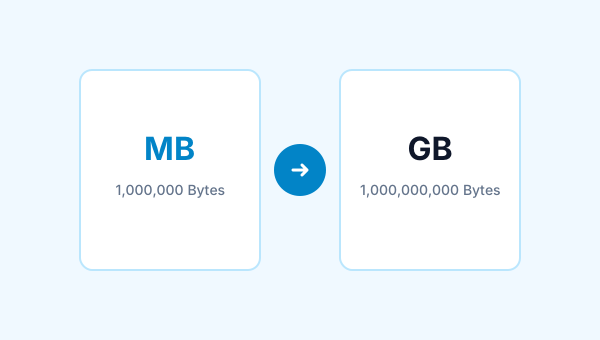
- Megabyte (MB): 1,000 Kilobytes or 1,000,000 Bytes
- Gigabyte (GB): 1,000 Megabytes or 1,000,000,000 Bytes
- Terabyte (TB): 1,000 Gigabytes or 1,000,000,000,000 Bytes
The Core Difference: Scale and Real-World Capacity
The single most direct difference between an MB and a GB is magnitude: one Gigabyte is 1,000 times larger than one Megabyte in standard decimal notation (or 1,024 times larger in binary calculation).
| Content Type | Average Size in MB | How Many Fit in 1 GB (1,000 MB)? |
|---|---|---|
| High-resolution smartphone photo | 3 MB to 5 MB | 200 to 330 photos |
| High-quality MP3 song (320 kbps) | 8 MB to 10 MB | 100 to 125 songs |
| Standard 1-hour podcast | 50 MB to 70 MB | 14 to 20 episodes |
| 45-minute TV episode (720p HD) | 500 MB to 800 MB | 1 to 2 episodes |
| Modern AAA video game | 50,000 MB to 150,000 MB | 0.01 to 0.02 games (Requires 50-150 GB) |
The Decimal (SI) vs Binary (IEC) Confusion
Why do you sometimes hear that 1 GB equals 1,024 MB? The answer lies in the historical divergence between computer memory addressing and storage drive manufacturing:
Decimal (SI Standard): 1 GB = 109 bytes = 1,000,000,000 bytes. This standard is universally used by storage drive manufacturers (Western Digital, Samsung, Seagate) and networking providers.
Binary (IEC Standard): 1 GiB (Gibibyte) = 230 bytes = 1,073,741,824 bytes. Operating systems like Windows traditionally calculate storage using powers of 2 because RAM registers are binary.
How to Convert MB to GB Accurately
To convert from Megabytes to Gigabytes manually:
- Decimal Conversion: Divide the Megabyte value by 1,000.
Formula:GB = MB ÷ 1,000
Example: 4,500 MB ÷ 1,000 = 4.5 GB. - Binary Conversion: Divide the Megabyte value by 1,024.
Formula:GiB = MiB ÷ 1,024
Example: 4,500 MiB ÷ 1,024 = 4.3945 GiB.
For instantaneous, error-free conversion with both options, use our free MB to GB Converter.

Alex Mercer
Technical Contributor
Alex writes accessible technical guides on digital file systems, data units, and network performance math for FileSizeHub.